What's New in CodeVista v1.7.0
MCP is back—more flexible, more connected, and ready to supercharge your CodeVista workflow!
Connect CodeVista to repositories, documentation, APIs, databases, and other external services through local or remote MCP servers. The Agent can discover and use available tools directly from chat while respecting permissions and requesting approval for sensitive actions.
note
User-added MCP servers must be listed in the PIM file and approved by the PM before use.
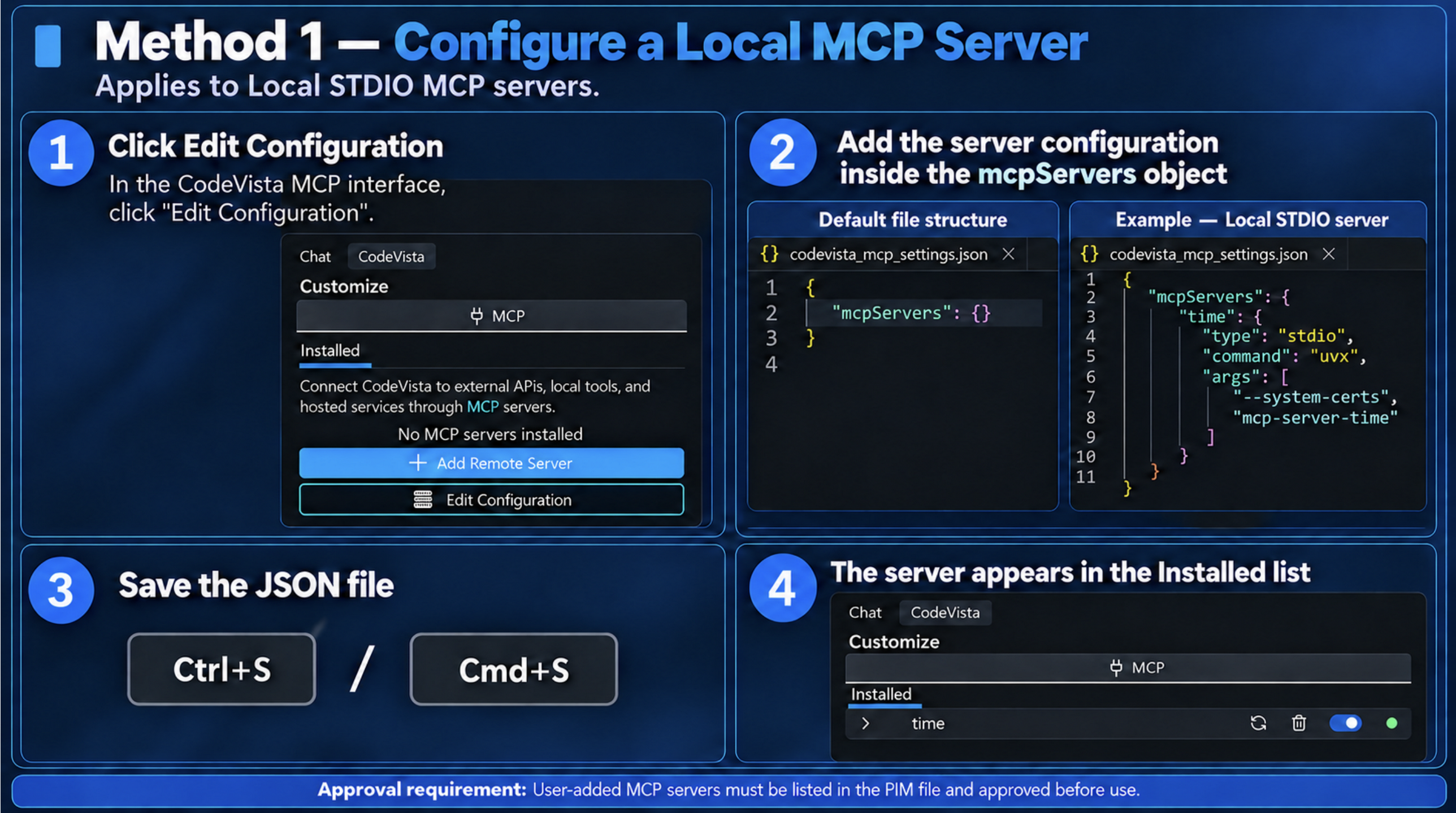
Method 1 — Configure a Local MCP Server
Method 2 — Add a Remote MCP Server
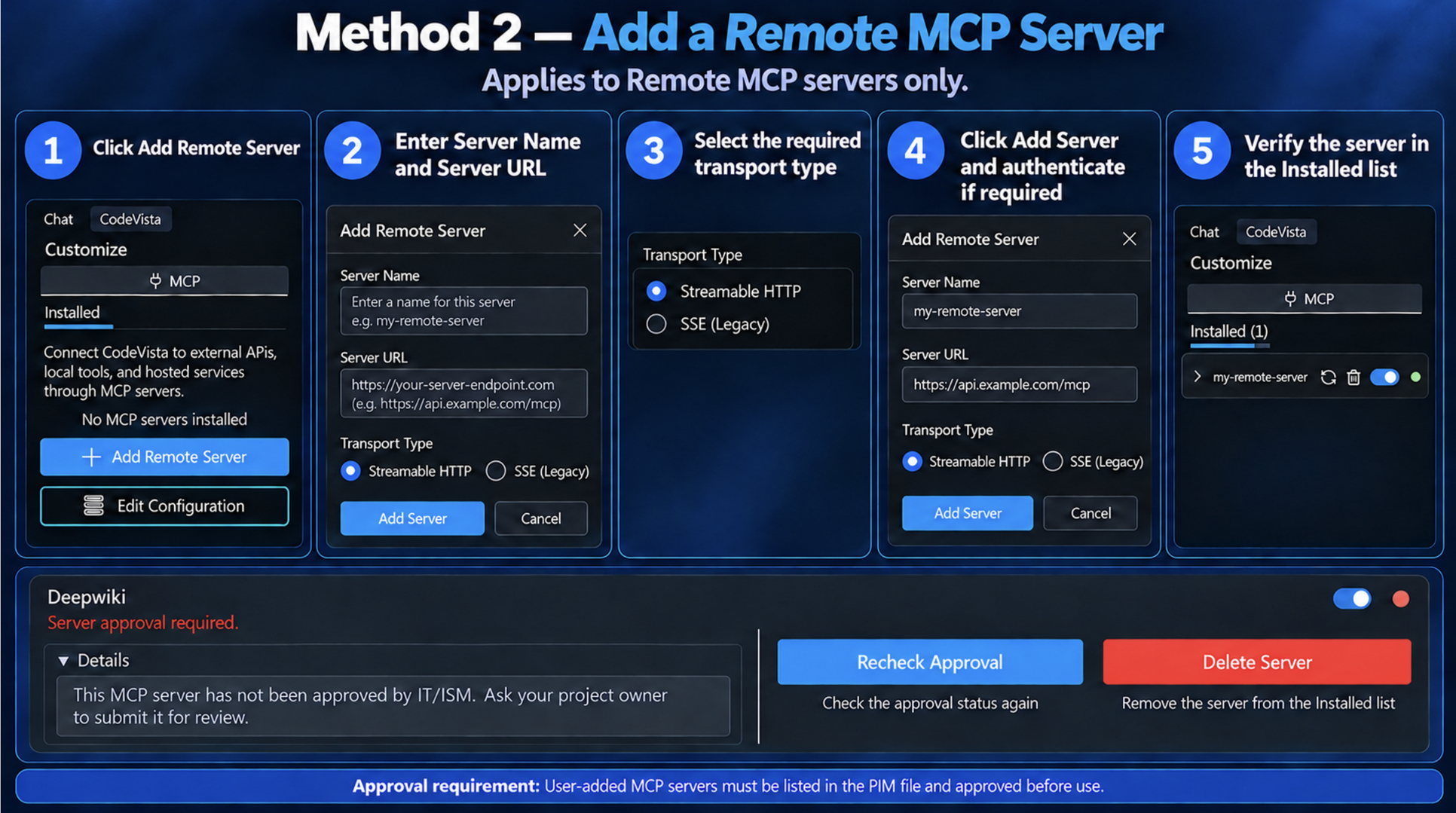
Server Approval
CodeVista checks whether the remote MCP server is included in the approved whitelist.
If the server has not been approved, CodeVista displays:
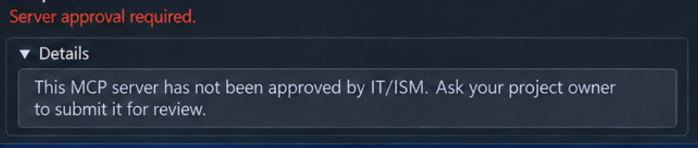
The server cannot be used until it has been reviewed and added to the whitelist.
Available actions:
- Recheck Approval: Check the server’s approval status again. Use this after the PM or project owner confirms that the server has been submitted and approved.
- Delete Server: Remove the server from the Installed list. The server must be added again if the user wants to reconnect it later.