1 - Core Agent Capabilities
1. Agent Workflow
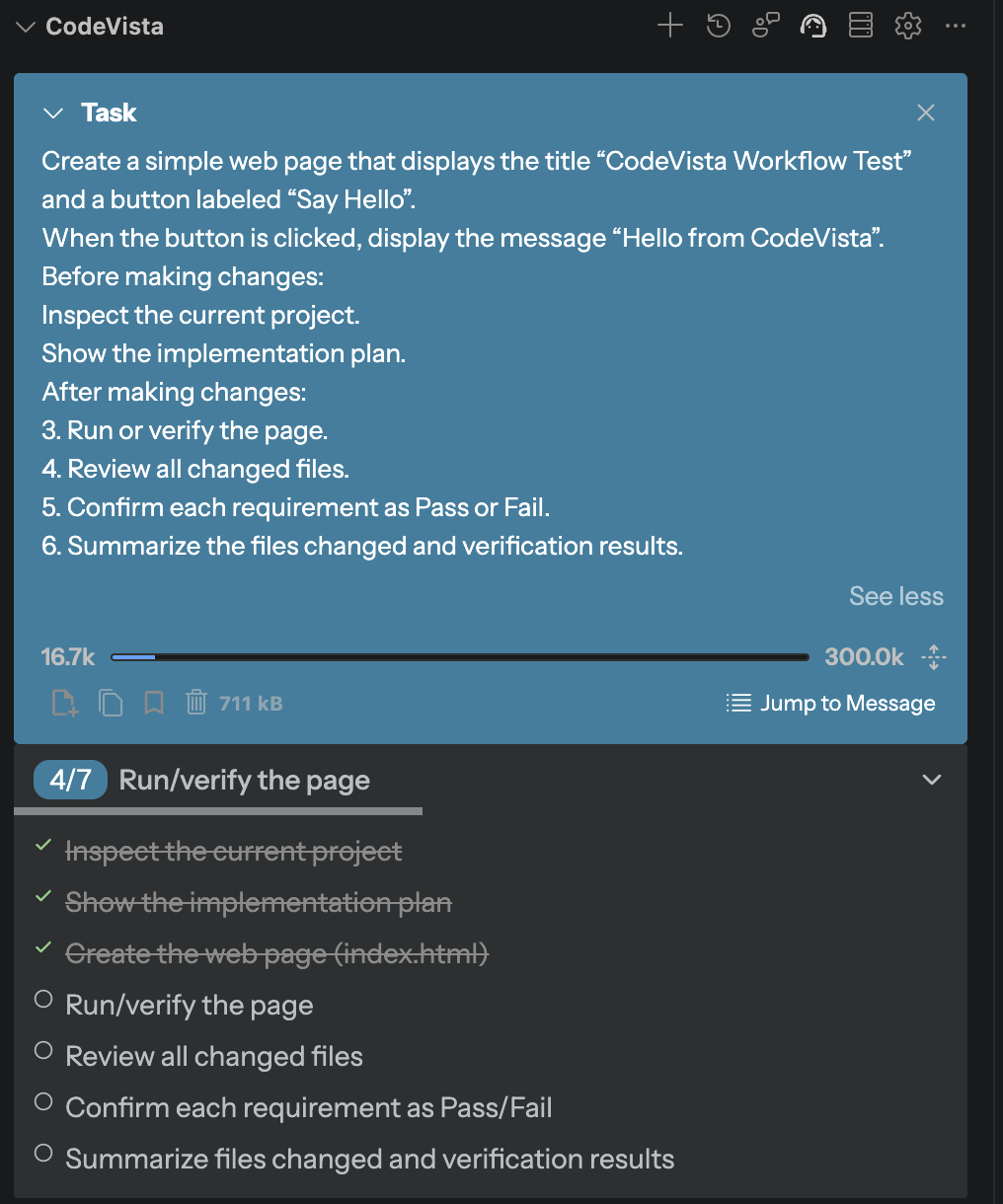
CodeVista follows a structured Plan → Act → Observe → Review workflow to handle development tasks. The Agent plans the required steps, performs actions, checks the results, and reviews changes before completing the task.
1.1. How the Agent Works
- Plan the task: Break the request into clear steps.
- Take action: Read/edit files, search code, or run commands.
- Observe results: Check outputs and identify issues.
- Review changes: Verify the final result before completion.
2. Tool Calling
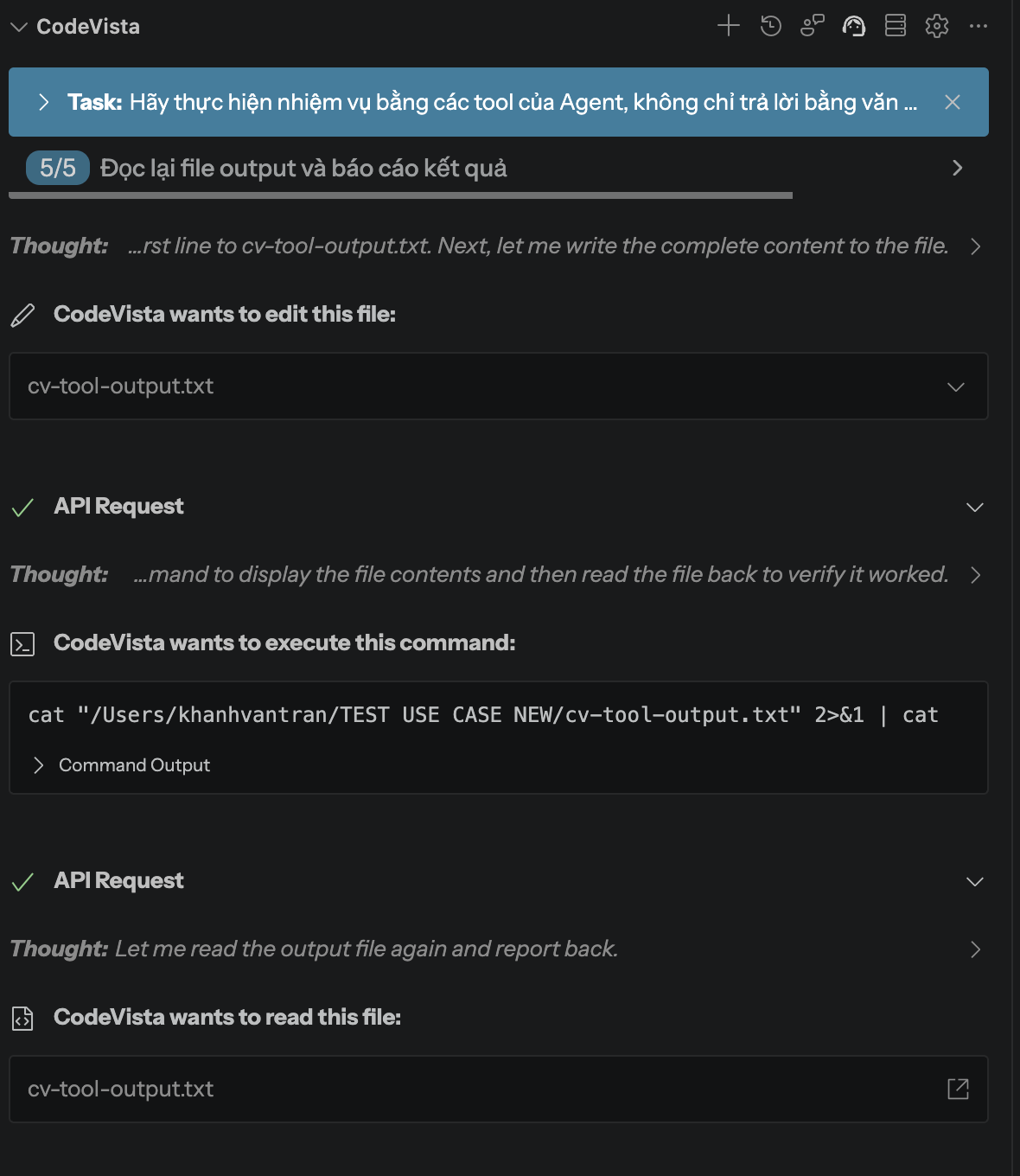
Tool Calling allows CodeVista Agent to interact directly with the development environment instead of only providing text responses. It can use available tools to collect project information, analyze code, and perform required development actions.
Depending on the available tools and permissions, the Agent may be able to:
- List and search project files.
- Read source code and configuration files.
- Create or edit files.
- Run shell commands.
- Inspect command output.
- Search the codebase.
- Access approved external services through MCP or other integrations.
- Summarize and verify the resulting changes.
3. Codebase Intelligence / Retrieval
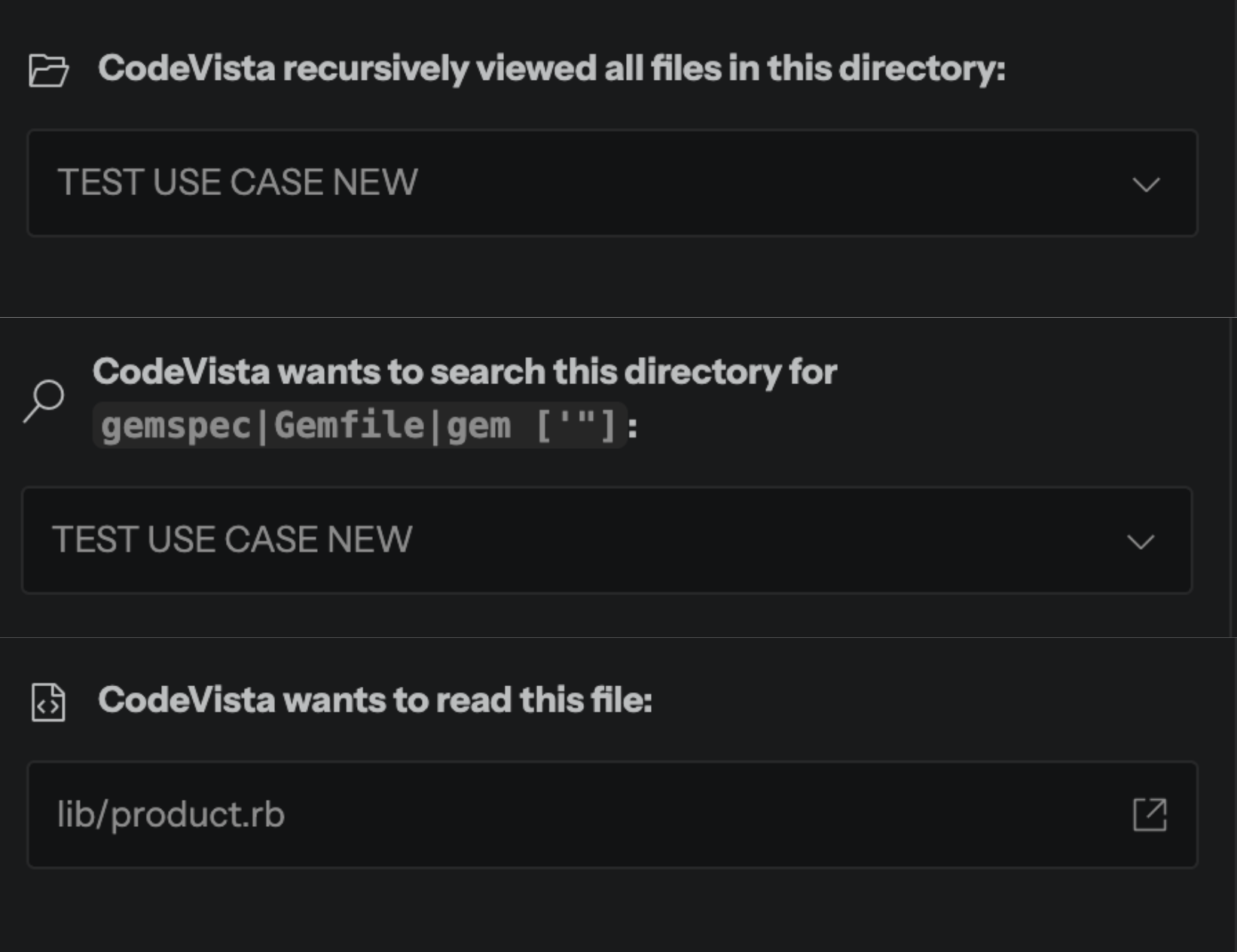
Codebase Intelligence helps CodeVista understand the user's project by retrieving relevant source code and project information. The Agent searches for related files, classes, functions and references instead of loading the entire repository into the context.
The capability may include:
- Repository-wide file and text search.
- Identification of candidate files.
- Selective reading of relevant files.
- Source-path references in the final answer.
- Storage of project notes and approved technical decisions.
- Retrieval of saved project information in later sessions when persistent project notes are supported and enabled.
4. Cross-Surface Consistency
Cross-Surface Consistency ensures that CodeVista provides a similar Agent experience across supported development environments. Core workflows, tools, context handling, and permission mechanisms are designed to behave consistently regardless of the interface being used.
4.1. Supported Surfaces
- VS Code Extension: Access CodeVista directly within VS Code.
- CLI (In Development): Use Agent capabilities through command-line workflows.
- Shared Agent behavior: Maintain consistent task execution logic across surfaces.
- Shared permission model: Apply similar approval rules for Agent actions.