4 phút để đọc
Make CodeVista an expert in your workspace using Repo Navigator

Navigating the Complexities of Large-Scale Code Repositories
Developers across all levels and domains inevitably encounter the complexities of large repositories, each facing unique yet interconnected challenges. As repositories grow in size and complexity, developers at every level must adopt strategies like sparse checkouts, incremental builds, and distributed CI/CD architectures to maintain efficiency and prevent workflow bottlenecks.
Recognizing the challenges developers face, CodeVista introduces the Repo Navigator feature to streamline repository exploration and code comprehension. Based on the context of the question, CodeVista intelligently identifies and retrieves relevant files and symbols, incorporating them into responses as linked references and code snippets.
By leveraging @workspace as a grounding mechanism, CodeVista Chat transforms into a domain-specific assistant, optimized for tasks including but not limited to:
- Finding existing code in your codebase
- Querying logic and execution flow
- Making plans for complex code edits
- Explaining higher-level concepts in a codebase

How Repo Navigator works?
Repo Navigator provides a graph-based representation and retrieval system for codebases, enabling seamless integration with Large Language Models (LLMs) and AI-powered coding assistants. By leveraging RAG-Graph (Retrieval-Augmented Generation Graph), it enhances LLM capabilities and helps developers tackle complex tasks efficiently.
Its functionality consists of three key processes:
- Building a Graph: Indexing source code into a structured, searchable graph, capturing relationships between classes, methods, variables, and files using advanced parsing techniques.
- Orchestrating Jobs to Enhance Code Understanding: Running workflows to improve code understanding through dependency resolution, refactoring suggestions, and structural insights, integrating with RAG-Graph for context-aware operations.
- Querying Codebase: Supports advanced queries to retrieve code snippets, dependencies, and references, assisting with debugging, feature development, and optimization.
How to use Repo Navigator?
Step 1: Upload code files that are currently open in your workspace to the CodeVista context system.
(Supported coding file types: C, C++, Java, JavaScript, PHP, Python, Ruby, Go, Rust, TypeScript, Kotlin)
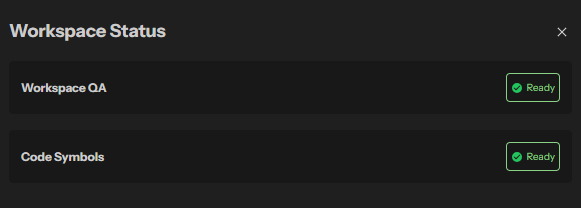
Once the Workspace Q&A Status is Ready, your workspace has been fully indexed and CodeVista now has a complete understanding of its content. The system is now prepared to answer questions accurately based on the indexed data and provide insights, cross-references, or direct responses to queries about the workspace.
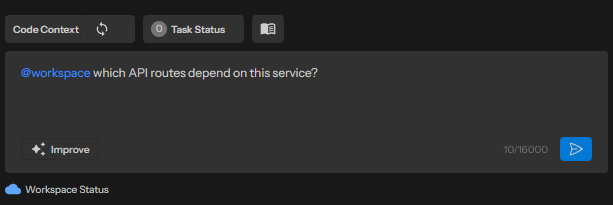
Step 2: Input @workspace questions and submit to CodeVista.
See Tips for Using Repo Navigator for more ideas to optimize responses from CodeVista.
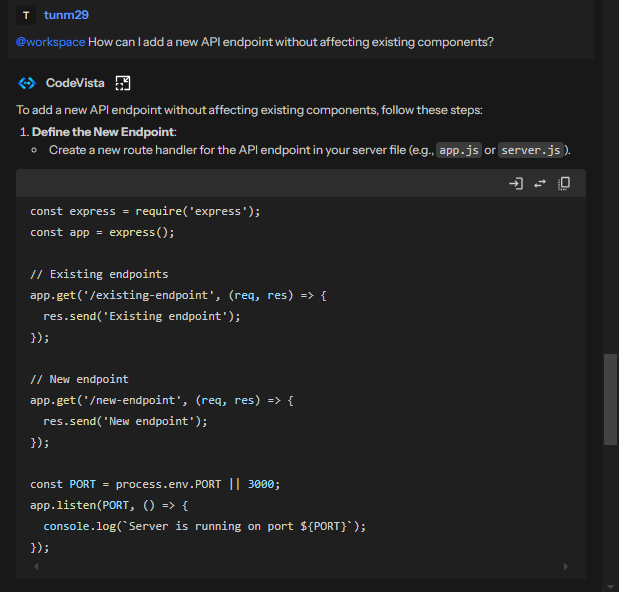
Step 3: Review response from CodeVista and ask for more information if needed.
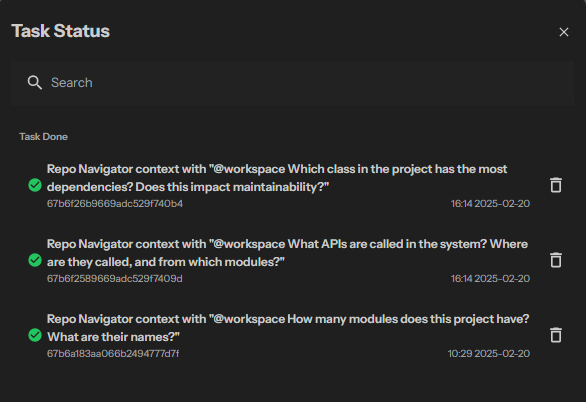
All @workspace Q&A are saved and can be reopened in Task Status for review.
Tips for effective use of Repo Navigator
The way you phrase your question can significantly influence the quality of the references @workspace provides and the accuracy of the response. To optimize results, consider the following tips:
- Be specific and detailed in your question, avoiding vague or ambiguous terms like "what does this do" (where "this" could be interpreted as the last answer, current file, or whole project, etc.).
- Incorporate terms and concepts in your prompt that are likely to appear in your code or its documentation.
- Review the code symbols reference in the response to ensure that the files are relevant. Iterate on your question if necessary.
- Responses can draw from multiple references, such as "find exceptions without a catch block" or "provide examples of how handleError is called". However, don't anticipate a comprehensive code analysis across your codebase, such as "how many times is this function invoked?" or "rectify all bugs in this project".
- Avoid assuming information beyond the code (for now), such as "who contributed to this file?" or "summarize review comments for this folder".