Video Generation
Tags: Video generation | Product demo | Walkthrough | Onboarding
1. When to Use
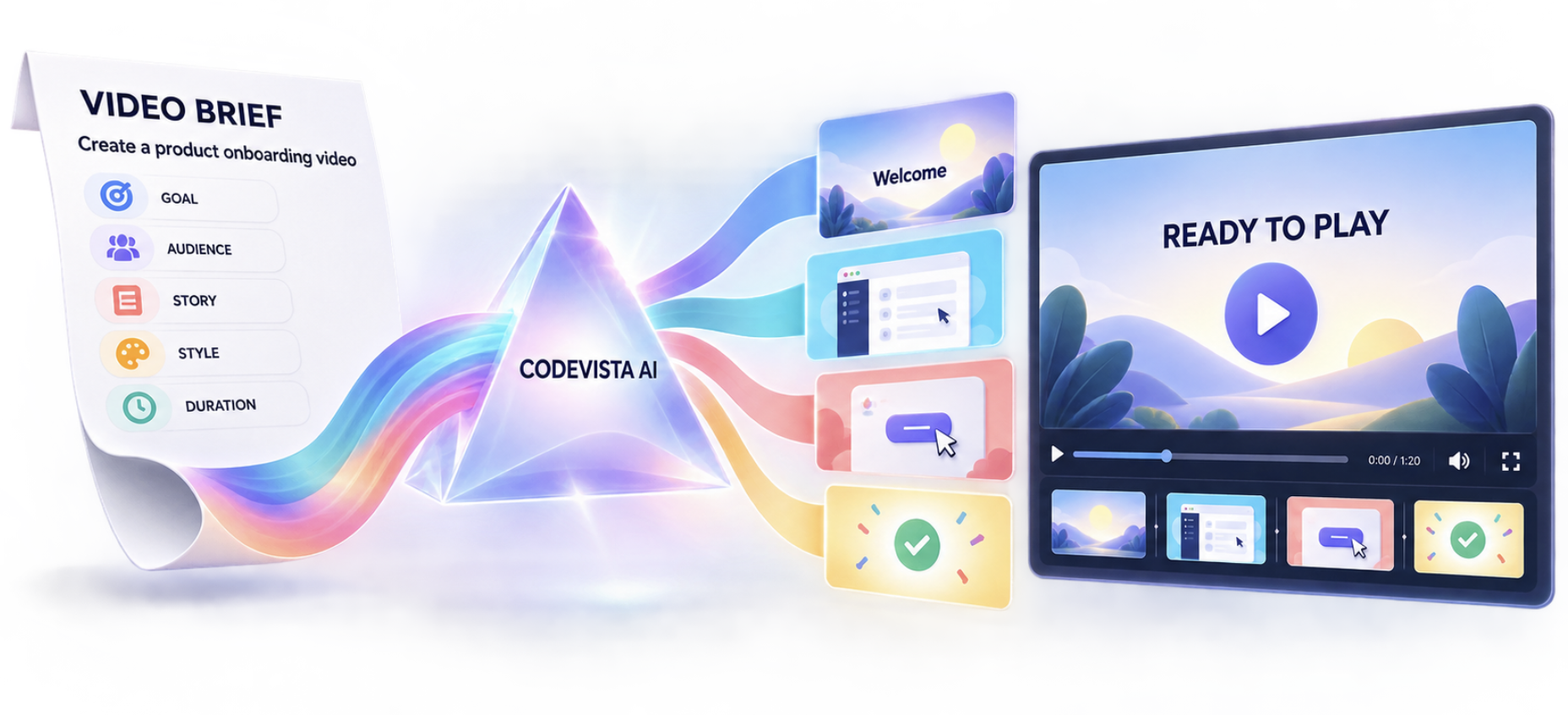
Use this workflow to create a short product demo, feature walkthrough, onboarding clip, or promotional sequence. Direct video creation depends on the video generation capability available in CodeVista.
2. Before You Begin
- Define one video goal and the audience that needs to understand it.
- Write the scene sequence, desired duration, aspect ratio, and visual style.
- Provide exact captions, product names, and required branding elements.
3. Starter Prompt
Create a [duration] second video for [product, feature, or workflow].

Goal: [What viewers should understand]
Audience: [Developers, business users, or customers]
Use: [Demo, onboarding, presentation, website, or promotion]
Format: [Aspect ratio and resolution]

Sequence:
1. [Opening scene and context]
2. [Main action or workflow]
3. [Result or benefit]
4. [Closing message or call to action]

Style: [Professional software demo, modern, simple, or product walkthrough]
Exact text: [Required captions or labels]
Avoid: [Unwanted effects, content, or pacing]

Return the actual playable video when direct video generation is supported.
4. How to Use
- Define the video goal, audience, and target channel.
- Describe the story as a short sequence of clear scenes.
- Specify duration, format, style, captions, and required branding.
- Run the Starter Prompt and review the generated video.
- Check pacing, text legibility, product accuracy, and final message.
- Request focused revisions before reusing the final asset.
5. Expected Result
- Focused story: A short sequence demonstrates the intended workflow or product message.
- Audience appropriate format: Duration, aspect ratio, pace, and style match the target channel.
- Reusable media: The result can support demos, onboarding, presentations, or product communication.
6. Tips
- Keep one main action or message per scene.
- For a short clip, use three to five scenes and avoid dense on-screen text.
- State whether audio, narration, captions, or a silent loop is required.