How to fix login issues in CodeVista for IntelliJ
Summary
If you experience any issues logging into the CodeVista plugin, follow the steps below to resolve them:
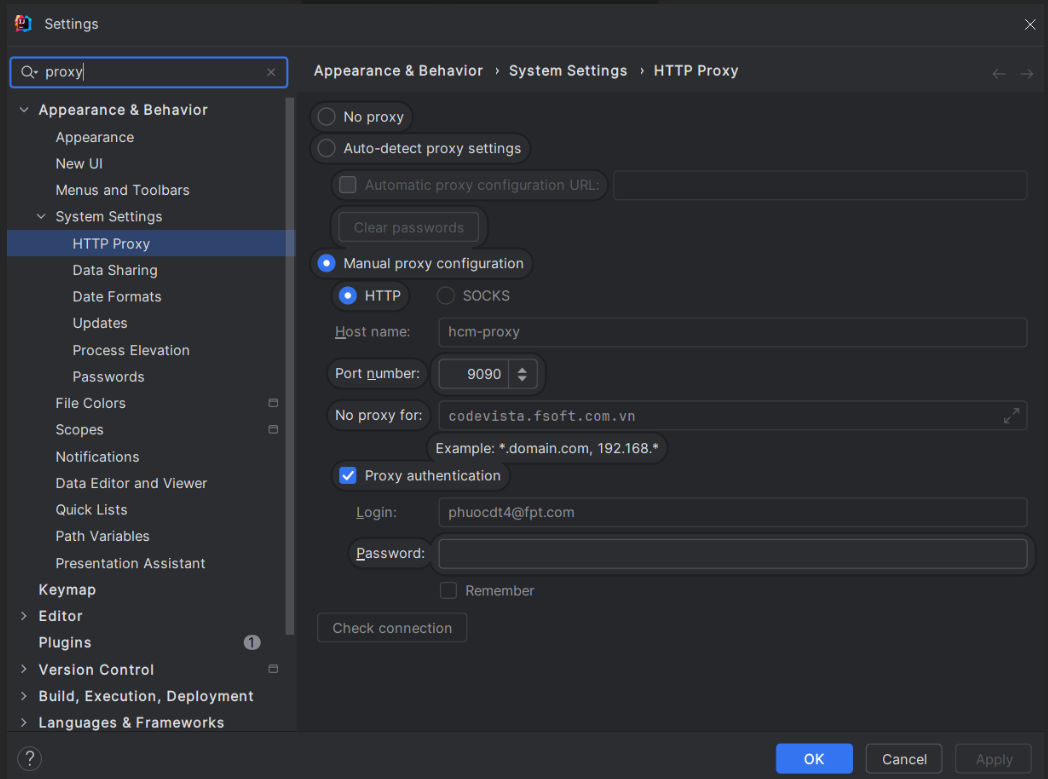
Select File → Settings → Search for "Proxy":
Depending on the individual machine's configuration, there may be two cases for configuring proxies in JetBrains IDEs.
Case 1
Case 2
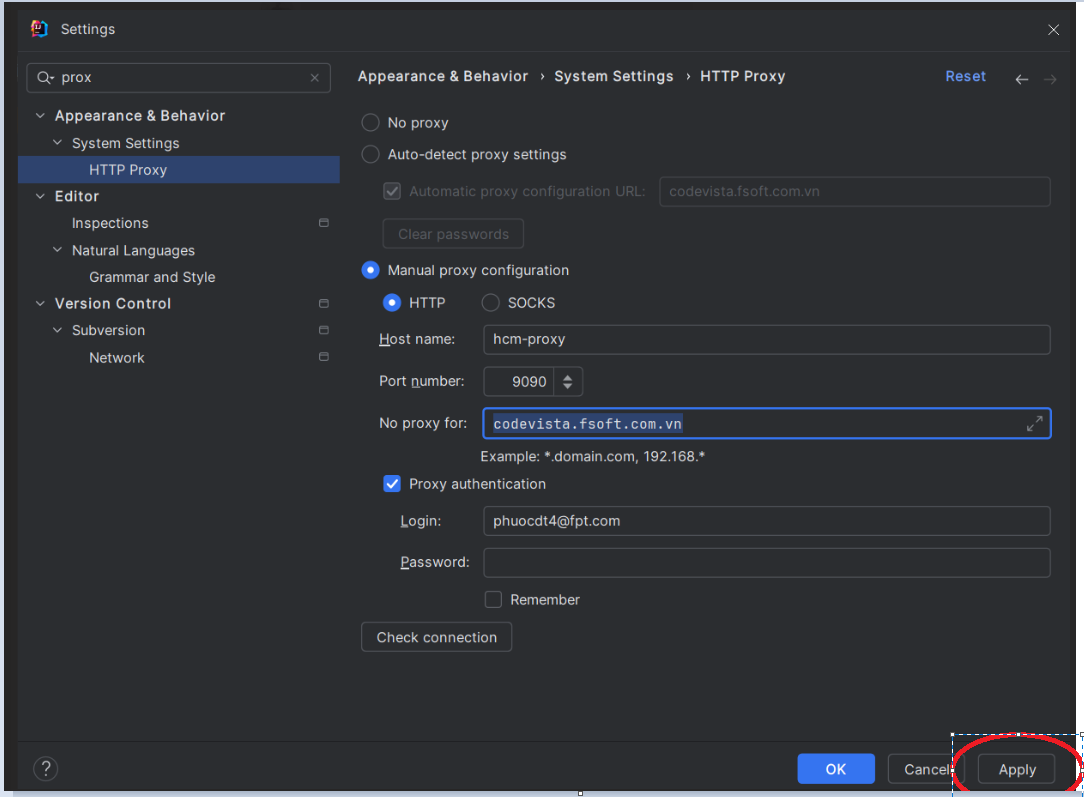
After configuring the proxy: → Select Apply → Restart your IDE → Login to CodeVista.
Properties
- Applies to: CodeVista v1.3.0+ (IntelliJ)
- Reference: —
- Knowledge base ID: 0003
- Last updated: Apr 03, 2025